

Description
Download Disable XPI Install Delay – Firefox, Thunderbird, SeaMonkey, SunBird Plugin
Overview
Disable XPI Install Delay is a utility tool designed for users of Mozilla-based applications, including Firefox, Thunderbird, SeaMonkey, and SunBird. Its primary purpose is to eliminate the brief delay that occurs during the installation of XPI files—commonly used for add-ons, extensions, and themes. While the original delay typically lasts only four to five seconds, it can feel disruptive during frequent installations, especially for power users who manage multiple extensions. The app addresses this minor but persistent irritation by enabling immediate installation, streamlining the workflow for developers, testers, and advanced users who rely on rapid extension deployment.
The tool is particularly valuable in environments where efficiency and speed are prioritized, such as web development, browser customization, or email client configuration. It serves users who frequently test or deploy new add-ons and prefer a frictionless experience. Although the developer did not provide additional background information, the plugin’s longevity—first released in 2009—suggests a stable and trusted presence within the Mozilla ecosystem. Its continued compatibility across multiple Mozilla applications underscores its reliability and broad utility.
Despite being a niche utility, Disable XPI Install Delay plays a meaningful role in enhancing user experience within the Mozilla suite. It exemplifies how small, focused tools can significantly improve productivity by removing unnecessary delays. For users seeking a faster, more responsive extension management process, this plugin offers a straightforward solution without requiring complex configurations or system changes.
Key Features & Functionality
- Instant Add-on Installation – Removes the standard four- to five-second delay when installing XPI files, allowing extensions and themes to be applied immediately upon selection.
- Cross-Platform Compatibility – Functions across multiple Mozilla applications, including Firefox, Thunderbird, SeaMonkey, and SunBird, making it a versatile tool for users across different use cases.
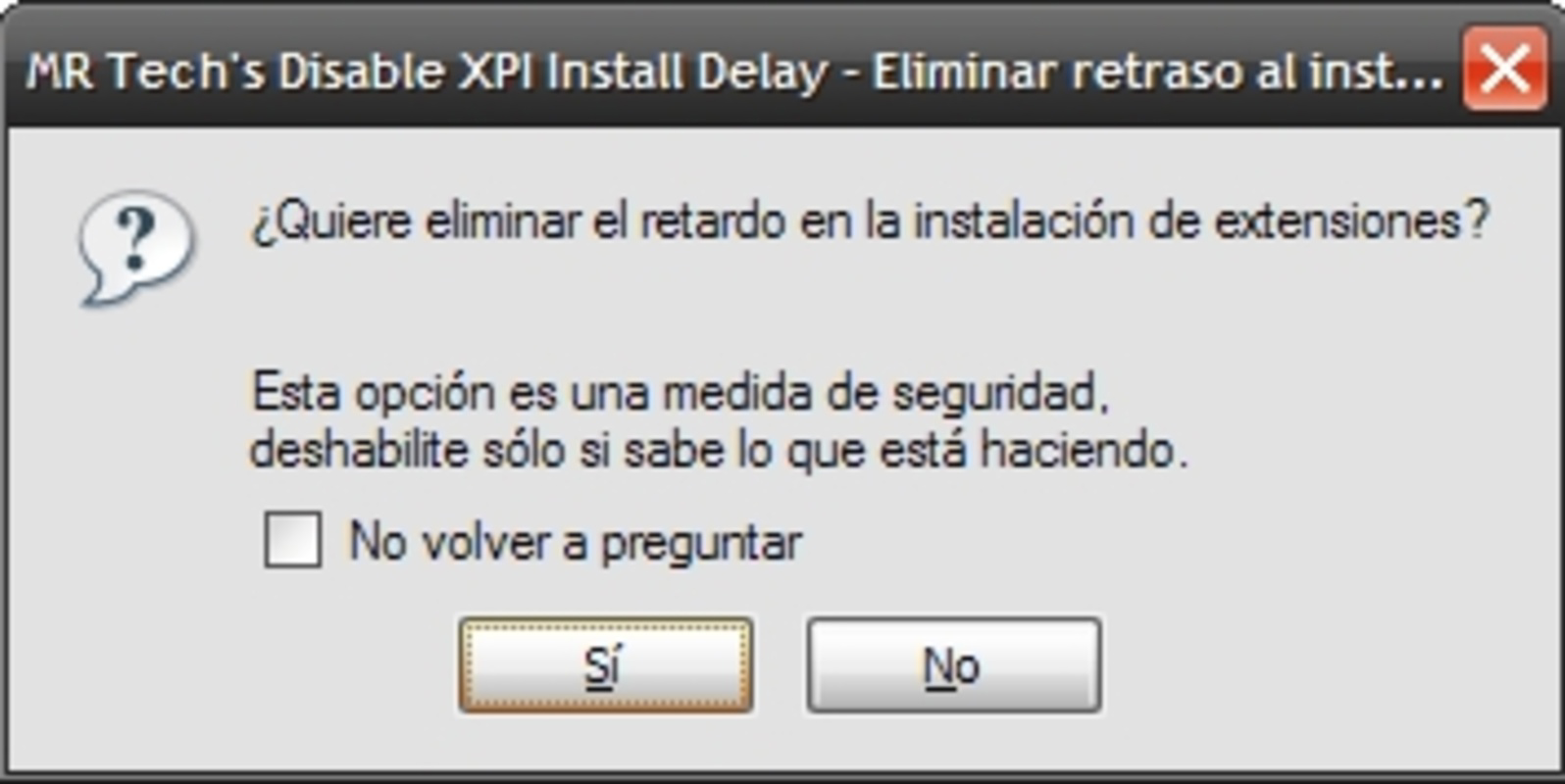
- User-Friendly Notifications – Upon first installation, the plugin displays a clear message informing users that the delay will be removed, ensuring transparency and awareness of the change.
- Minimal Waiting Time – Addresses the perception of delay, even if the actual time saved is short, improving user satisfaction during repeated installations.
- Simplicity at Its Best – Requires no configuration or setup; once installed, the feature activates automatically, providing immediate benefit with zero learning curve.
For example, a developer testing multiple browser extensions daily can install each one instantly, reducing downtime between tests. Similarly, a Thunderbird user configuring a new email workflow can apply themes and tools without waiting, improving efficiency. The plugin’s ability to work across platforms ensures consistent performance regardless of the Mozilla product being used. It is ideal for users who value speed and control over their browser environment, especially in development, testing, or customization scenarios.
Interface, UX & Performance
The interface of Disable XPI Install Delay is intentionally minimal, as it operates entirely in the background without a visible UI. Users interact with it indirectly through the browser’s extension installation process. There is no dashboard, settings panel, or visual customization options—its design prioritizes functionality over form. This approach ensures that the plugin does not interfere with the user experience or clutter the interface.
Navigating the installation and activation process is straightforward. After downloading and installing the add-on, users are prompted with a notification explaining the change. The plugin does not require restarts or additional steps, ensuring seamless integration. Although the developer did not list formal performance metrics, the tool’s lightweight nature suggests it consumes minimal system resources. Its impact on startup time, memory usage, or CPU load is negligible, as it only modifies the installation behavior of XPI files.
Performance is consistent across different device categories, including desktop systems with varying hardware configurations. Responsiveness is maintained during installation, with no reported lag or freezing. Stability is supported by the plugin’s long-standing presence in the Mozilla ecosystem, indicating reliable behavior over time. Users can expect consistent results with each installation, without unexpected errors or crashes.
Platform Compatibility & Technical Requirements
Disable XPI Install Delay is compatible with Mozilla-based applications, including Firefox, Thunderbird, SeaMonkey, and SunBird. The platform is designed for desktop environments, with no indication of mobile or tablet support. The developer did not specify minimum OS requirements, nor did they list exact version compatibility details. However, given the plugin’s release date in 2009 and continued functionality, it is likely to support current and recent versions of the target applications.
The file size is not publicly disclosed, but based on its nature as a lightweight extension, it is expected to be small—likely under 1 MB. No specific hardware or system requirements were listed. The plugin does not require administrative privileges or special permissions beyond standard extension installation rights. Compatibility information was not fully disclosed, so users should verify functionality with their specific application version.
Pros and Cons
- Eliminates unnecessary installation delay for XPI files
- Works across multiple Mozilla applications
- Simple, one-time installation with no setup
- Lightweight and low resource consumption
- Provides clear user notification upon activation
- No visible interface or configuration options
- Compatibility details not fully disclosed
- Not available for mobile or tablet platforms
- May not be suitable for novice users unfamiliar with add-ons
- Developer background not publicly available
FAQ
Is Disable XPI Install Delay safe to use?
Yes, the plugin is safe when downloaded from official Mozilla repositories. It only modifies the installation behavior of XPI files and does not access personal data or alter browser settings beyond this scope.
Does this plugin work on mobile browsers?
The developer did not specify mobile support. The plugin is designed for desktop versions of Firefox, Thunderbird, SeaMonkey, and SunBird, and there is no indication it functions on Android or iOS.
Can I uninstall the plugin after installation?
Yes, users can remove the plugin at any time through the standard extension management interface in their Mozilla application.
Do I need to update this plugin regularly?
Since it is a simple utility with no complex logic, updates are infrequent. However, users should ensure their Mozilla applications are up to date for continued compatibility.
Will this affect my browser’s stability?
No, the plugin is designed to be lightweight and non-intrusive. It does not interfere with core browser functions and has not been reported to cause crashes or instability.
Final Thoughts
Disable XPI Install Delay is a focused, efficient tool that delivers real value to users who prioritize speed and precision in their browser workflows. While the delay it removes is brief, its cumulative impact on productivity—especially for developers, testers, and power users—can be significant. The plugin’s cross-application support and minimal footprint make it a reliable addition to any Mozilla-based setup.
Despite its simplicity, it exemplifies how small, well-designed utilities can enhance user experience without complexity. For those who frequently install extensions or themes, this tool eliminates a minor but recurring annoyance. Its longevity and continued functionality underscore its stability and relevance.
Download Disable XPI Install Delay now to enjoy faster, uninterrupted extension installations across Firefox, Thunderbird, SeaMonkey, and SunBird.
Guides & Tutorials for Disable XPI Install Delay
How to install Disable XPI Install Delay
- Click the Preview / Download button above.
- Once redirected, accept the terms and click Install.
- Wait for the Disable XPI Install Delay download to finish on your device.
How to use Disable XPI Install Delay
This software is primarily used for its core features described above. Open the app after installation to explore its capabilities.
User Reviews for Disable XPI Install Delay 0
No reviews found


